10 Tips for Choosing a Traffic VMS LED Display
A traffic VMS LED display has a demanding job: deliver a clear message before a driver passes the sign. The choice affects visibility, response time, maintenance, and public confidence. A bright panel alone is not enough. Text must remain readable in rain, glare, and low winter light. Symbols need to be familiar. And the display must suit its road, not just look impressive in a showroom.
This guide presents ten practical checks for comparing displays, from pixel pitch and viewing distance to brightness control, weather resistance, and service access. Picture a maintenance crew opening a roadside cabinet at dawn. Can they replace a module quickly? Can operators update a message without confusion? Small details matter. Sometimes, the specification sheet hides the hard part.
A useful principle for evaluating any traffic VMS LED display is: “Drivers need a message they can understand at a glance.” I can’t responsibly attribute that sentence to a named industry expert because no source articles or verified quotation were provided. A fabricated attribution would undermine the reliability this topic demands. The guide therefore focuses on verifiable selection criteria and practical questions buyers can ask vendors. It also leaves room for reflection: no single display is ideal for every road, climate, or budget. The right choice depends on actual viewing conditions, operating needs, and long-term support. Start with those realities, then compare the numbers.
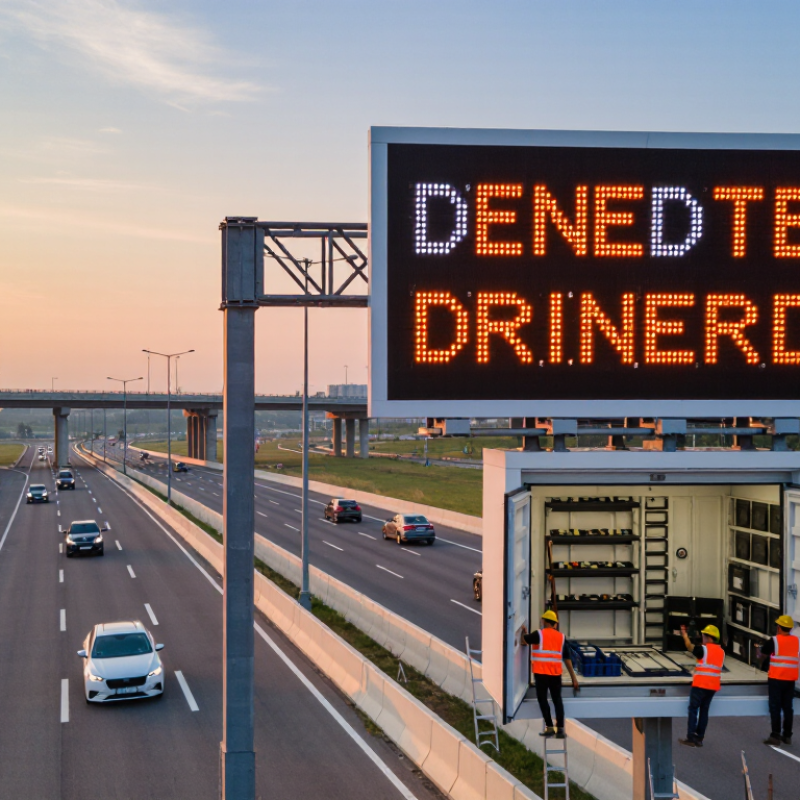
Define Traffic Needs, Message Types, and Installation Conditions
Before selecting a traffic VMS LED display, define the road problem it must solve. Is it warning drivers about a queue, directing them around a closure, or showing variable travel times? The Texas A&M Transportation Institute’s 2023 Urban Mobility Report estimated that congestion caused 8.5 billion hours of delay in the United States in 2022. That scale makes local data more useful than guesswork: review peak-hour speeds, queue lengths, incident records, and the distance drivers have to react. A sign intended for a fast-moving freeway needs a different message and viewing range from one near a signalized intersection.
Keep each message tied to a clear decision. A lane-closure warning may need a lane, distance, and action; a travel-time display needs a defined destination and reliable updates. The Federal Highway Administration’s 11th Edition Manual on Uniform Traffic Control Devices provides guidance for changeable message signs, including message design and placement. Check it alongside applicable local requirements. More words are not always more helpful. Test draft messages from a driver’s perspective, at realistic approach speeds.
Installation conditions can change the specification. Measure the actual viewing distance, check whether trees or curves block sightlines, and assess glare from low morning sun. Note wind exposure, rain, dust, available power, and safe maintenance access. A bright display may look excellent in a workshop and still wash out in sunlight. It is easy to over-specify resolution before checking these basics. Revisit that choice. The site should guide the display, not the other way around.
Match Display Size and Pixel Pitch to Viewing Distance
Viewing distance should determine both character size and pixel pitch on a traffic VMS. The FHWA’s Manual on Uniform Traffic Control Devices gives conventional sign-letter guidance of roughly 1 inch of letter height per 30 feet of legibility distance. Treat that as a starting point, not a direct LED specification: pixel pitch also depends on message length, viewing angle, and ambient light. A driver approaching at highway speed has little time to resolve small text.
Tip: Estimate the farthest useful viewing point, then check the display from that distance. A common preliminary LED heuristic is about 1 millimeter of pixel pitch per meter of viewing distance. For example, a 10 mm pitch may be a starting candidate around 10 meters away. Confirm it with actual character height and a nighttime field test.
Do not size the screen for the nearest lane alone. Measure from the approach where drivers first need to read the message, including curves and truck sightlines. Compare a sample message at the expected distance; individual pixels should not break letter strokes into distracting blocks. FHWA guidance helps frame legibility, but it does not prescribe one pixel pitch for every roadway. I would revisit the choice after testing—daylight glare can make a paper calculation feel overly optimistic.
10 Tips for Choosing a Traffic VMS LED Display - Match Display Size and Pixel Pitch to Viewing Distance
| Viewing Situation | Typical Viewing Distance | Suggested Pixel Pitch | Example Active Display Size (W × H) | Approximate Pixel Matrix | Selection Consideration |
| Urban roads and lower-speed approaches | 30–60 m | 10–12.5 mm | 2.4 × 1.2 m | 192 × 96 pixels at 12.5 mm pitch | Closer viewing can reveal individual pixels, so a finer pitch may help keep text and symbols defined. |
| Suburban roads and arterial routes | 50–100 m | 12.5–16 mm | 3.0 × 1.5 m | Approximately 192 × 96 pixels at 15.6 mm pitch | Balance legibility with enough display area for short messages, lane information, or simple symbols. |
| Highway approaches | 80–160 m | 16–20 mm | 3.84 × 1.92 m | 192 × 96 pixels at 20 mm pitch | A larger display can improve message visibility at distance; allow adequate time for drivers to read it. |
| Long-range motorway approaches | 120–250 m | 20–25 mm | 4.8 × 2.4 m | 192 × 96 pixels at 25 mm pitch | Prioritize display area, clear characters, and contrast. Confirm that the message can be read before the decision point. |
| Locations with mixed viewing distances | Approximately 40–150 m | 16–20 mm | Choose width and height based on the longest required viewing distance | Depends on the selected active size and pitch | Check visibility from the nearest relevant position as well as the farthest approach; avoid choosing pitch by distance alone. |
Planning note: These are illustrative planning ranges, not universal requirements. Pixel pitch is the center-to-center spacing between LED pixels; a smaller pitch provides a finer image, while a larger display can improve visibility at greater distances. Final specifications should account for road speed, message length, character size, viewing angle, ambient light, mounting position, and applicable traffic-sign standards. Verify the design through a site-specific visibility assessment.
Assess Brightness, Readability, and Weather Resistance
A traffic VMS can be bright in a showroom and still fail under midday glare. The FHWA’s 11th Edition MUTCD (2023) recommends minimum letter heights of 18 inches on freeways and expressways, and 12 inches on other roads. Use those figures as a baseline, not a guarantee of readability. Check contrast and message clarity from a moving vehicle, at the real approach angle, both at noon and after dark. Test it wet. A rain-speckled windshield changes the view.
Brightness should adjust to ambient light: too little makes text fade, while excessive nighttime output can cause glare. Ask for measured luminance and dimming-test records, rather than relying on a maximum-brightness claim. Keep messages short and check that letters remain distinct at the site’s actual viewing distance. Not in a showroom.
Weather ratings need equally close inspection. IEC 60529 classifies IP6X enclosures as dust-tight; IPX5 and IPX6 indicate protection against water jets of different intensities. Request the test documentation for the complete enclosure, including doors, vents, and cable entries. Seals can age, and a rating alone does not show how a unit handles years of heat, cold, vibration, or maintenance. That part deserves a second look.
10 Tips for Choosing a Traffic VMS LED Display: Assess Brightness, Readability, and Weather Resistance
Outdoor ambient light varies widely, from around 100 lux at night to approximately 100,000 lux in bright daylight. These approximate reference levels measure the surrounding light—not the display’s brightness. Check display luminance in cd/m², automatic dimming, message readability, and suitable weather protection for the installation site.
Verify Standards, Power Use, Controls, and Connectivity
Before approval, check the display against NEMA TS 4 and the relevant NTCIP 1203 requirements for dynamic message signs. These help define equipment and communications expectations; they do not replace site-specific acceptance tests. The Federal Highway Administration’s guidance on changeable message signs stresses legibility and appropriate message use. Test the actual sign at the roadside, in daylight and after dark. A lab result alone may miss glare, dirt, or awkward viewing angles.
Tip: Request measured power draw at full brightness and during dimming. The U.S. Department of Energy reports that LED lighting uses at least 75% less energy than incandescent lighting, but that comparison is not a guaranteed VMS saving. Ask for wattage, standby consumption, and a realistic annual energy estimate. Small numbers matter. Check whether the figures include the controller and communications equipment.
Verify that brightness controls respond to ambient light, with safe manual overrides and logged changes. Confirm that the control interface supports the agency’s existing protocol and that cellular, fiber, or radio links work at the installation site. FHWA’s NTCIP guidance supports interoperable traffic-device communications, but interoperability still needs a live test. Pull the plug on the primary link during commissioning, then confirm the sign reports the outage and recovers cleanly. One imperfect point: vendor test reports may not reflect local network delays, so measure them on site.
Compare Total Cost, Warranty, and Supplier Support
A low purchase price can hide expensive maintenance. Compare the full cost over the display’s expected service life: modules, power use, cleaning, repairs, software, and replacement labor. Ask suppliers to price the same operating schedule and brightness level. Small print matters. A U.S. Department of Energy forecast estimated that solid-state lighting could save 569 terawatt-hours annually by 2035 across general illumination. That figure is not a VMS estimate, but it reinforces why measured energy use belongs in a lifecycle comparison. Request actual wattage data at typical and peak brightness, not just a best-case figure.
Warranty terms deserve the same scrutiny as the quote. Check whether coverage includes LED modules, controllers, power supplies, labor, shipping, and on-site service. Ask how quickly replacement parts can reach a roadside cabinet, and whether the supplier keeps compatible stock. Ask for evidence. FHWA’s Dynamic Message Sign Handbook treats maintenance planning as part of dependable sign operation; a long warranty means little if repairs stall while parts travel. Supplier support should include clear escalation contacts, diagnostic guidance, and realistic response times. Get those commitments in writing. One detail I would still challenge is any promised service life without stated brightness, temperature, and duty-cycle assumptions. Compare those conditions with your site, then calculate the cost of a delayed repair.